


Automated cohort management
From launch to close,
scheduling that runs itself
Assign learners and dates per cohort; learning opens only during that window and closes automatically at the end.

Learn · AI-personalized learning
Based on your AI interview,
we identify your current level and the skills to strengthen, then design the learning path and content you truly need.
Go beyond watching lectures —
practice each skill hands-on to get better results.
Tracks · 3 levels
Task types that reveal real skill
Programs to install
Three things that keep repeating in corporate training today.
Everyone gets the same training, regardless of skill
Skill levels differ, yet the content is one-size-fits-all. It bores those who already know it and overwhelms those just starting.
The 100% completion trap
You can see who finished the course, but there is no way to tell whether their skills actually improved.
Knowing is not the same as doing
Finishing a lecture does not mean being able to solve problems on the job.
The learning flow
It starts by diagnosing skill gaps and carries through to hands-on practice and feedback.
Interview
A conversation finds your current level and weak points
Path
Skip what you know; start where you are short
Practice
Practice each skill and get scored
Tutor
It tells you why it fell short and where to go next
Tailored learning path
Based on the gaps found in the assessment, we propose a 2–3 week learning plan. You pick only the segments you need and work through them in order.
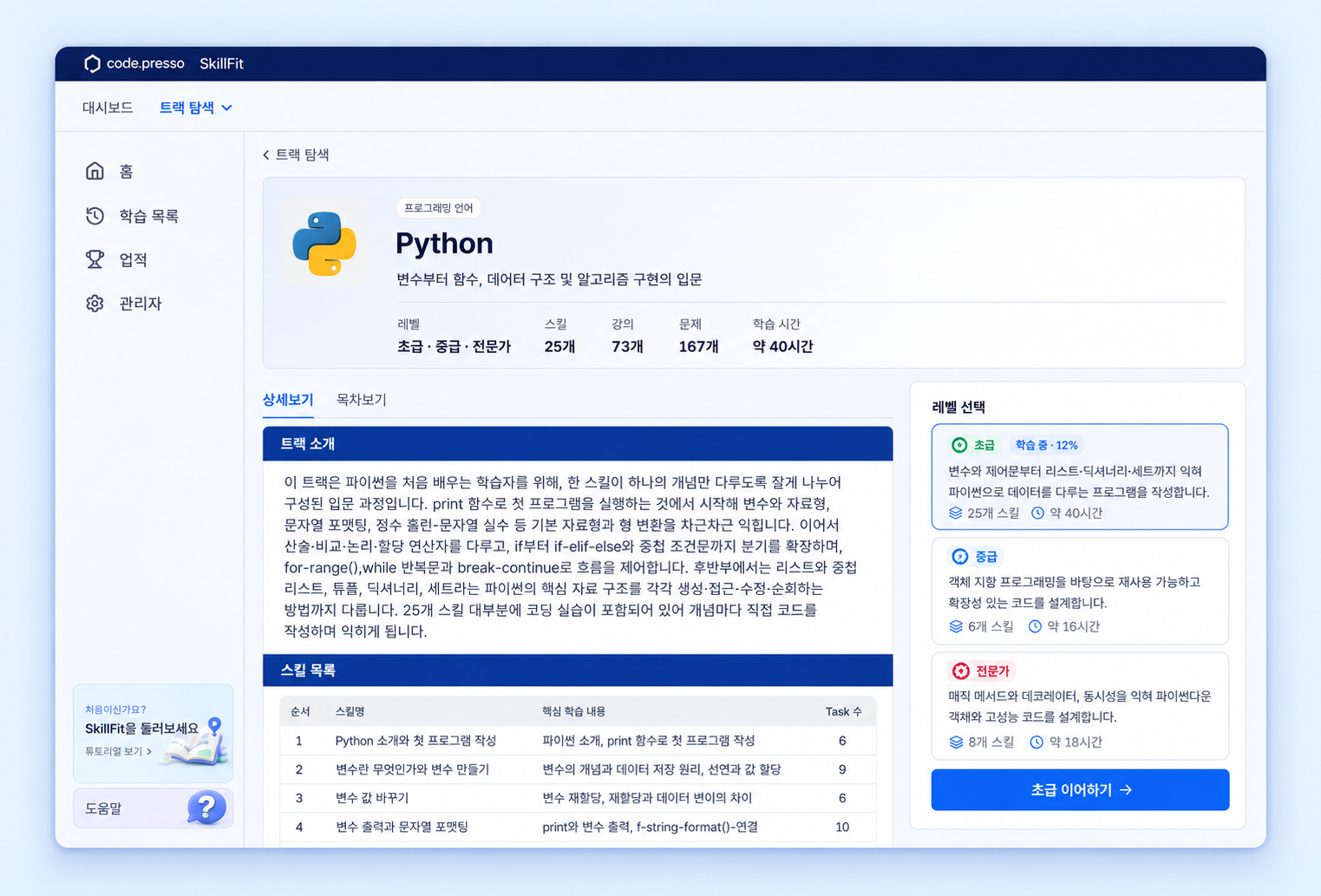
Tracks
51 tracks are split into three levels — beginner, intermediate, expert — and each learning plan is tailored from within them.
Artificial intelligence
Artificial intelligence
Artificial intelligence
Artificial intelligence
Data
Programming
Web development
Dev environment
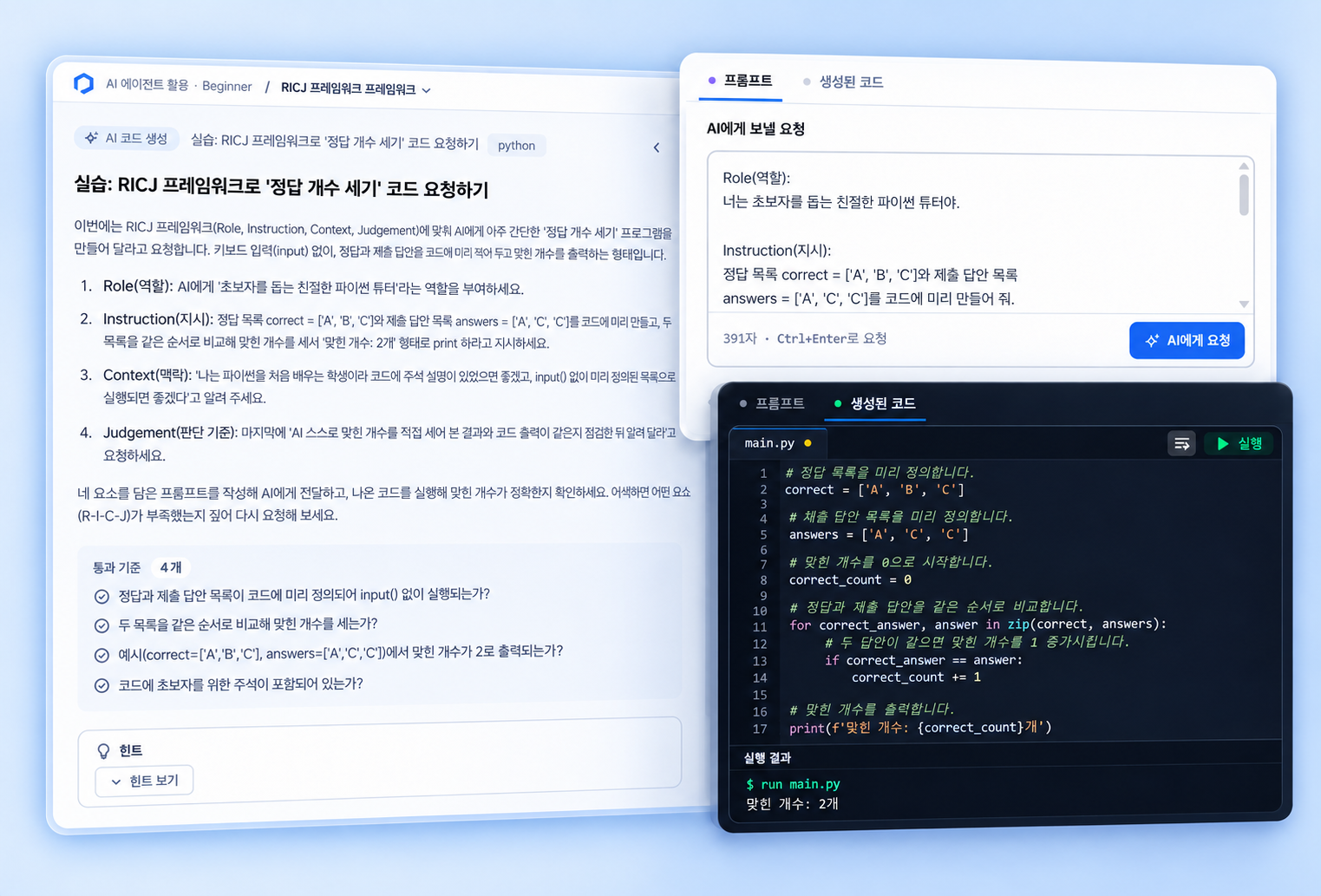
Practice environment
Every skill comes with practice tasks so you apply what you learn right away. In development tracks, you code directly in the browser and are scored on the output. Nothing to install, no setup.
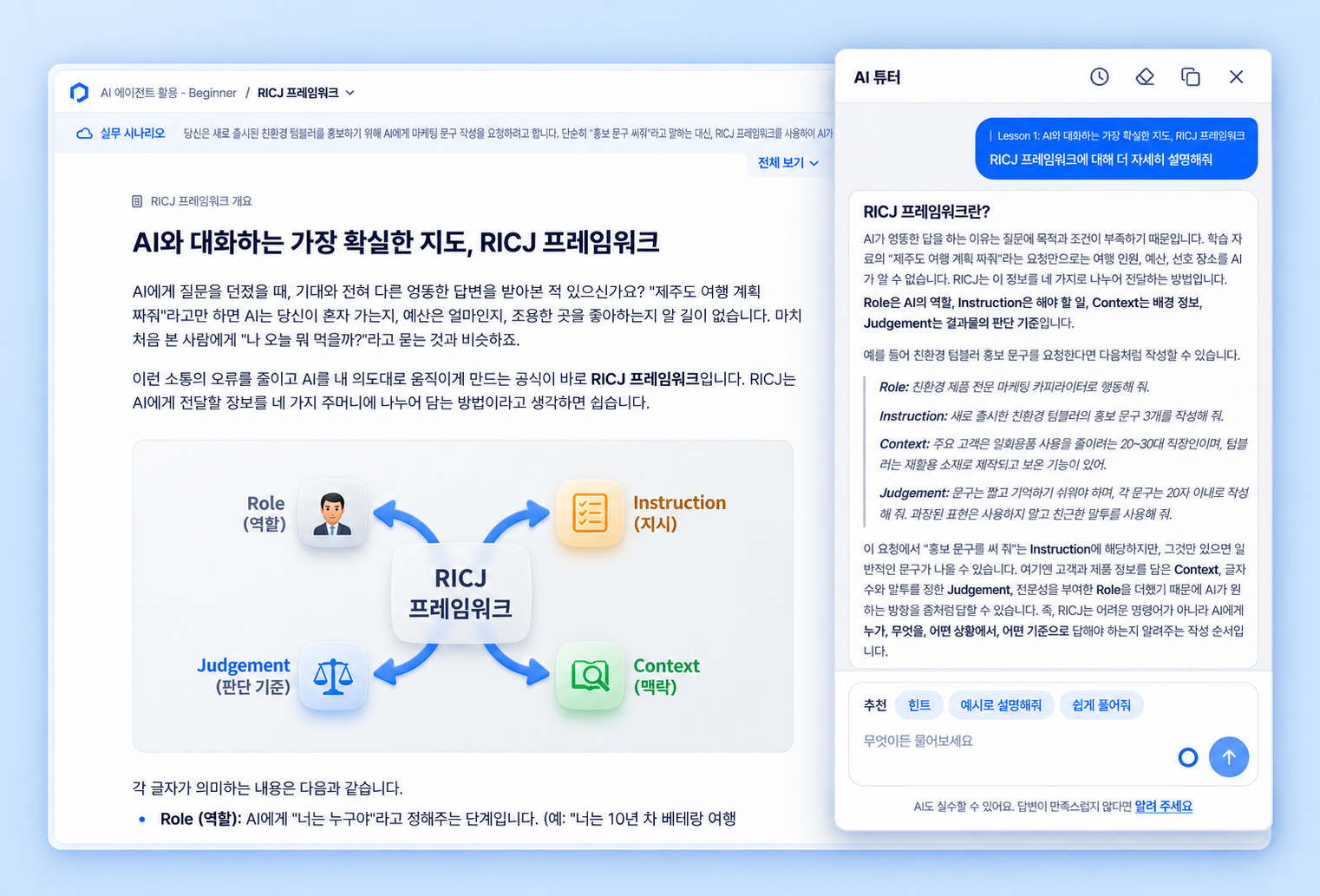
1:1 AI tutor
Without leaving the learning screen, you can ask the AI tutor a question at any stage — review, reading, or practice.
Organization operations
Set the schedule per cohort — operations run automatically and results arrive as data.
Automated cohort management
Assign learners and dates per cohort; learning opens only during that window and closes automatically at the end.
Multi-level progress dashboard
Track learning in real time from the whole organization down to each person, and spot the skill areas that need work.
원클릭 성과 리포트
기수 종료와 동시에 개인별 상세 리포트와 조직별 성과 요약을 확인하고, 파일로 내려받아 보관할 수 있습니다.
Adoption process
The trial runs as a single 2–3 week cohort, and we deliver the results as it closes.
We take the participant roster and the learning period, create the cohort, and prepare accounts.
Learners open the link and start with the assessment interview. The result becomes the learning plan.
학습자는 계획대로 실습을 진행하고, 담당자는 대시보드로 진행 상황을 봅니다.
개인 리포트와 조직 요약을 전달하고, 다음 기수 범위를 함께 정합니다.
FAQ
네. 진단 인터뷰가 현재 수준을 먼저 확인하고 초급 레벨부터 학습 경로를 제안합니다. 이미 아는 영역은 건너뛸 수 있습니다.
하루 30분에서 1시간을 기준으로 2~3주 계획을 만듭니다. 스킬 단위로 끊어져 있어 시간이 날 때 한 스킬씩 진행할 수 있습니다.
없습니다. 학습부터 실습·채점까지 모두 브라우저에서 이뤄지므로 별도 프로그램을 설치하거나 설정할 필요가 없습니다.
Python · Java · JavaScript · C++ · SQL · Git · Linux 같은 기본기부터 프롬프트 엔지니어링 · LangChain · LangGraph · PyTorch · TensorFlow까지 51개 트랙을 제공합니다.
대화형 진단의 첫 결과는 학습을 시작하기 위한 기준입니다. 이후 정답률과 제출 코드가 반영되면서 학습 경로를 계속 조정합니다.